Welcome to the Neogram documentation. Neogram lets you post photos from your phone to your own static website (Neocities, Nekoweb or GitHub Pages) as a retro photo gallery, and add hit counters, guestbooks, comments and a chat widget to any page you control.
5-minute quickstart & FAQ
New to Neogram or static publishing? Here is everything you need to know to get your photo gallery online and your widgets embedded in 5 minutes flat.
Sign up
Enter your email or phone number on the sign-in page and we'll send you a 6-digit code. New accounts get a permanent numeric UIN (like an ICQ number) and an @handle you can change later.
Snap, Filter & Publish
Connect your Neocities, Nekoweb or GitHub Pages site first. Then in the ↑ Upload Studio, snap a photo or pick one from your phone, choose a retro filter (like CRT Phosphor or 16-Color VGA), write a caption and hit Publish. The photo goes straight to your site; Neogram doesn't keep a copy.
Connecting your site
In Settings → Your websites, add your site, pick the provider (Neocities, Nekoweb or GitHub Pages) and paste your API key or token (found at neocities.org/settings#api_key or nekoweb.org/settings). Neogram builds your gallery and publishes your photos and JSON feeds to a /neogram/ folder on your site. (SFTP is planned.)
Paste Hit Counter & Guestbook Widgets
In the Embeds tab, pick your favorite glowing LED or Nixie hit counter style and copy the 1-line HTML tag. Paste it anywhere inside your site's index.html!
No. Neogram only writes inside its own folder (/neogram/ by default) and refuses to delete anything outside it. Your homepage (index.html), styles, blog posts and other files are left alone.
Yes! Neogram is a full Progressive Web App (PWA). You can open it in Safari or Chrome on iOS or Android, or tap [INSTALL APP] in the top navigation bar to add it to your home screen. Tap the camera button to snap directly from your phone.
Not at all! If you know basic HTML, that's more than enough. Neogram builds the complete photo gallery HTML for you automatically. To add the hit counter or visitor guestbook to your own pages, just copy and paste the single provided <img> or <iframe> tag.
Your UIN (#100101) is a permanent number, like an old ICQ number. It never changes. Use it in your hit counter and guestbook embeds so you can change your @handle later without breaking them.
Everything Neogram published stays on your site: the HTML pages, WebP images and comment files. Neogram doesn't keep copies of your photos, so there's nothing to get back from us.
Log in to your Neocities dashboard, click Edit on your index.html (or any other page), scroll to where you want the widget to appear (for example, in your footer or right before </body>), paste the snippet, and hit Save. It goes live immediately!
Yes! Neogram supports full Multi-Site Architecture. You can mount as many independent static sites as you like from the Settings tab. Each site has its own API key, deploy folder, and separate hit counters and guestbooks. You can switch between them in 1 click from the top taskbar without logging out.
🤓 [+] UNDER THE HOOD FOR NERDS (Architecture & Security Specs) EXPAND :>
Neogram never acts as a permanent media host. When you upload, photos are optimized, published directly to your personal static site, and local temporary files are immediately erased from the server.
Hosting API keys and static deployment credentials are encrypted at rest using authenticated AES-256-GCM with unique 96-bit initialization vectors and scrypt key derivation. The NGv2 envelope supports zero-downtime key rotation windows via ENCRYPTION_SECRET_PREVIOUS. Credentials are decrypted strictly in memory during an API upload and are never rendered in client DOM, logs, or error responses.
Third-party static sites authenticate visitors using an explicit consent screen at /auth/connect. Tokens are issued with a strict scope: "pass" (1-hour TTL) that allows social interactions (likes, comments, guestbook, pager) but cannot alter settings, passwords, or station configurations. Exact-origin postMessage and hash-fragment transports ensure zero cross-site cookie leaks.
All outbound fetches of members' feeds use safeGet with socket-level IP address verification to block DNS rebinding and internal network probing (loopback, RFC 1918, link-local, and cloud metadata). Static JSON updates serialize through an in-memory Mutex and write via atomic file renames, preventing corrupt or truncated data feeds.
Neocities Static Hosting & Setup Guide
Connect your Neocities site so Neogram can publish your photo gallery to it.
Neogram publishes into a /neogram/ folder on your Neocities site and never touches your homepage (index.html), styles or other files. Setup takes a few minutes:
Obtain your Neocities API Key
Log in to your account at neocities.org, then navigate to your site settings at neocities.org/settings#api_key. Scroll down to the API Key section and copy your token string.
0123456789abcdef0123456789abcdef (Keep this key private!)
Add your site in Neogram
Open Settings → Your websites and fill in the Add a website form (you can change these later under Settings → Hosting & Keys):
- Host provider: Neocities
- API key: the key from step 1 (stored encrypted)
- Site URL: your Neocities address (e.g.
https://your_handle.neocities.org) - Publish folder:
neogram(the default) - Auto-deploy: republish the whole gallery automatically after settings changes (new photos, edits and comments always publish)
Where your gallery lives
Everything goes under
/neogram/ (or the folder you chose). Your homepage, styles, blog posts and other files are never overwritten or deleted.
Your photo gallery will be live at: https://your_handle.neocities.org/neogram/
Verify Connection & Test
In Settings → Hosting & Keys, click the connection test button to check your key, then save. Your first photo post publishes the gallery.
Now, whenever you snap or upload a photo in the ↑ Upload Studio, your photo will automatically be compiled and deployed live!
Neogram publishes to Neocities, Nekoweb and GitHub Pages (commits to a gh-pages branch using a personal access token). SFTP / SSH is planned.
Multiple sites on one account
Publish to more than one website (say, your homepage and a fan shrine) from one Neogram account.
Your account (handle, UIN, friends, chat) is separate from your sites. Each site has its own settings, key and widgets:
main, shrine, blog/neogram/ or /photos/Add a site
Open Settings → Your websites and fill in Add a website: a name, a short slug (e.g. shrine), the host, its API key and the folder to publish into.
Switch sites
Use the site menu in the top bar to pick which site you're working on. The Studio, Posts, Embeds and Settings tabs all follow the site you pick.
Choose where a photo goes
The bar at the top of the Upload tab shows which site the photo will be posted to. Click ⇄ Switch site to change it before you publish.
Separate counters and guestbooks
Each site has its own hit counter, guestbook and feed, so your homepage and your fan shrine count visits and collect signatures separately.
<!-- Per-Site Dynamic Hit Counter (Anchored by UIN + Slug) -->
<div class="neogram-counter">
  <img
    src="https://neogram.club/counter/100101/main.svg?style=green_led"
    alt="Site Visitor Count"
  />
</div>
<!-- Per-Site Embedded Guestbook Ledger -->
<iframe
  src="https://neogram.club/embed/guestbook/your_handle/main"
  width="100%"
  height="650"
  frameborder="0"
  style="border: 3px solid #000000; box-shadow: 4px 4px 0px 0px rgba(0,0,0,0.9); background: #161b22;"
  title="Visitor Guestbook Ledger"
></iframe>
Dynamic SVG Web Hit Counter
A high-contrast, privacy-friendly dynamic SVG hit counter for your static site. Automatically increments visits without cookies or third-party ad trackers.
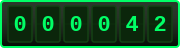
<!-- Neogram Dynamic Web Hit Counter -->
<div class="neogram-counter">
  <img
    src="https://neogram.club/counter/your_handle.svg?style=green_led"
    alt="You are visitor number"
    loading="eager"
  />
</div>
<!-- Immutable Numeric UIN Hit Counter (Never breaks if handle changes) -->
<div class="neogram-counter">
  <img
    src="https://neogram.club/counter/100101.svg?style=green_led"
    alt="Visitor counter"
  />
</div>
<!-- Hit counter that links to your Neogram profile -->
<a href="https://neogram.club/user/100101" target="_blank" rel="noopener noreferrer" title="My Neogram profile">
  <img src="https://neogram.club/counter/your_handle.svg?style=green_led" alt="Hit Counter" />
</a>
<!-- Hit counter for one specific site (counted separately) -->
<div class="neogram-counter">
  <img
    src="https://neogram.club/counter/100101/main.svg?style=green_led"
    alt="Visitor counter"
  />
</div>
Cache-Control: no-cache, no-store, must-revalidate headers. so browsers and proxies don't show stale counts. Repeat views from the same visitor within a short window only count once.
Guestbook
A classic guestbook for your site, with mood icons, spam protection, and optional signing in with Cyber-Pass (Neogram's one-click sign-in for visitors).
Signatures are saved to data/guestbook.json on your own site (Neogram also keeps a copy in its database). You can read and delete signatures from the Embeds tab.
<!-- Neogram Public Visitor Guestbook Iframe -->
<iframe
  src="https://neogram.club/embed/guestbook/your_handle"
  width="100%"
  height="650"
  frameborder="0"
  style="border: 3px solid #000000; box-shadow: 4px 4px 0px 0px rgba(0,0,0,0.9); background: #161b22;"
  title="Public Visitor Guestbook"
></iframe>
<!-- Retro Button Linking to Live Guestbook -->
<a
  href="https://neogram.club/embed/guestbook/your_handle"
  target="_blank"
  rel="noopener noreferrer"
  style="display: inline-flex; align-items: center; gap: 6px; padding: 6px 12px; background: #ffff00; color: #000000; font-family: monospace; font-weight: bold; font-size: 12px; border: 2px solid #000000; box-shadow: 2px 2px 0px 0px #000000; text-decoration: none;"
>
  Sign My Guestbook :>
</a>
<!-- Guestbook for a second site -->
<iframe
  src="https://neogram.club/embed/guestbook/your_handle/main"
  width="100%"
  height="650"
  frameborder="0"
  style="border: 3px solid #000000; box-shadow: 4px 4px 0px 0px rgba(0,0,0,0.9); background: #161b22;"
  title="Public Visitor Guestbook — Primary Site"
></iframe>
Moderation & Spam Protection
1. Rate limiting: at most 10 signatures per 5 minutes from one IP address, plus a hidden honeypot field that catches most bots.
2. Deleting entries: in the Embeds → Guestbook tab, click [Delete] next to an entry. It's removed from your site's guestbook.json right away.
Static Site Pager & Chat Widget
Place an expandable retro chat window on your Neocities, Nekoweb, or personal static site. Visitors can message you in real-time, and see whether you're online, away or offline.
How the pager works
1. Only you: visitors can only message the owner of the site the pager is on. It can't be used to message other members.
2. No chat logs on our server: live messages aren't saved. If you're offline, a message waits in our database for up to 24 hours and is deleted as soon as you receive it.
3. Guests and Cyber-Pass: visitors without an account get a guest name (e.g. @guest_4291). Clicking Connect Cyber-Pass lets members chat as their own handle.
4. Replies: answer from NIM in Neogram; if the visitor still has your site open, the reply shows up in their pager with a chime.
Add this single line before </body> on any static HTML page. It creates a compact retro dock button in the corner that expands into the full pager window when clicked.
<!-- Neogram Cyber-Pager Chat Widget -->
<script
  src="https://neogram.club/embed/pager.js"
  data-station="your_handle"
  data-position="bottom-right"
  defer>
</script>
Prefer a fixed chat window embedded directly in a sidebar or widget area? Use an iframe pointing to the standalone pager page:
<!-- Neogram Standalone Pager Iframe -->
<iframe
  src="https://neogram.club/embed/pager/your_handle"
  width="380"
  height="480"
  frameborder="0"
  style="border: 3px solid #000;"
  title="Page @your_handle">
</iframe>
Settings & spam controls
You maintain complete control over how the pager operates on your static sites:
- Guests: in Settings → Notifications, untick Accept Anonymous Pager Chat to require visitors to sign in with Cyber-Pass first.
- Turn it off: untick Enable Live Pager Widget to pause the pager without removing the code from your pages.
- Rate limiting: at most 15 messages per 2 minutes from one IP address.
Headless Feeds, Comments & Widgets
Connect your static gallery to external static site generators, build custom client photo carousels, or embed zero-dependency widgets.
feed.json & posts.json) directly to your Neocities account without any HTML!JSONFeed 1.1 Specification
STANDARDIZED API• Primary Default Site:
https://neogram.club/api/users/your_handle/feed.json
• A specific site (e.g. main):
https://neogram.club/api/users/your_handle/feed.json?siteSlug=main
<!-- Container for recent photos -->
<div id="neogram-feed">Loading photos...</div>

<script>
  (async function() {
    // Feed fields are user-written text: build DOM nodes with textContent, never innerHTML.
    const safeUrl = (u) => (typeof u === 'string' && /^https?:\/\//i.test(u) ? u : '');
    const el = document.getElementById('neogram-feed');
    try {
      const res = await fetch('https://neogram.club/api/users/your_handle/feed.json');
      const data = await res.json();
      el.textContent = '';
      if (!data.items || data.items.length === 0) {
        el.textContent = 'No photos yet.';
        return;
      }
      for (const post of data.items) {
        const card = document.createElement('div');
        card.style.cssText = 'border: 2px solid #000; margin-bottom: 12px; padding: 8px; background: #fff;';
        const img = document.createElement('img');
        img.src = safeUrl(post.thumbnailUrl || post.image);
        img.alt = post.caption || 'Photo';
        img.style.cssText = 'max-width: 100%; display: block;';
        const caption = document.createElement('p');
        caption.style.cssText = 'font-family: monospace; font-size: 11px; margin-top: 6px;';
        caption.textContent = post.caption || '';
        card.append(img, caption);
        el.appendChild(card);
      }
    } catch (err) {
      console.error(err);
    }
  })();
</script>
<!-- Drop-in Photo Stream Iframe -->
<iframe
  src="https://neogram.club/embed/feed/your_handle"
  width="100%"
  height="480"
  frameborder="0"
  style="border: 2px solid #000; background: #000;"
  title="Recent Photos"
></iframe>
Comments & Cyber-Pass sign-in
When visitors browse your static gallery (photos/<id>/index.html), they can post comments without creating third-party accounts. Commenters sign in with Cyber-Pass: a consent popup at /auth/connect gives your page a 1-hour token that can only like, comment, sign guestbooks and use the pager. No tracking cookies are set on your site. Comments are saved to uploads/images/<photo>.comments.json on your site.
Publishing & Processing Pipeline
How a photo gets from your phone to your site: upload, resize with Sharp, build HTML with Eleventy, publish, then delete our copy.
Up to 5 photos per post, 25 MB each (JPEG, PNG, WebP, GIF or AVIF). Sharp applies the camera's EXIF orientation so phone photos aren't sideways.
Each photo becomes a WebP up to 1200px plus a 400×400 square thumbnail, typically 80–150 KB. Retro filters are CSS, applied in the browser; the image itself isn't altered.
Neogram renders your gallery pages and feed.json / posts.json. A new photo only re-renders the gallery index and that photo's page, so publishing is quick.
The changed files are uploaded to your host. Once the host confirms, Neogram deletes its copy of the images. If the upload fails, the files are kept only until the next successful publish.
Photo upload (1-5 photos, 25 MB each)
  └─► rotate + resize   ──► uploads/images/*.webp (1200px)
                        ──► uploads/thumbs/*.webp (400x400)
        └─► build pages   ──► index.html, photos//index.html, feed.json, posts.json
              └─► upload to your host (Neocities / Nekoweb / GitHub Pages)
                    └─► delete Neogram's copy of the images
Semantic BEM Theming & Custom CSS
How Neogram formats static site HTML with standard BEM classes at base specificity (0, 1, 0) for effortless custom CSS overrides.
How to Inject Your Custom Stylesheet
1. Create a CSS stylesheet on your Neocities site (e.g. https://your_handle.neocities.org/custom-theme.css).
2. In Neogram, open Settings → Hosting & Keys and enter the URL in Custom stylesheet URL.
3. Click [SAVE SETTINGS]. Eleventy automatically adds a <link rel="stylesheet"> tag to your gallery pages!
BEM Class Reference
| BEM Class | Description |
|---|---|
.neogram-site | Outer site wrapper and layout container |
.neogram-grid | Multi-column responsive CSS grid container |
.neogram-card | Individual photo card window box |
.neogram-card__image | Photo thumbnail element |
.neogram-card__caption | Post caption text |
.neogram-detail | Photo detail page view (photos/<id>/) |
.neogram-slider | Pure raw CSS Instagram-style slider container for multi-photo galleries |
.neogram-slider__track | Horizontal scroll-snap track with touch swiping |
.neogram-slider__nav | Centered slide pagination dot anchors |
.neogram-comments | Comment ledger and entry form container |
.neogram-btn | Base retro push button |
/* Neon Cyberpunk Theme for Neogram */
body.neogram-site {
  background: #0d001a !important;
  color: #00ffff !important;
}

.neogram-card, .neogram-banner {
  background: #190033;
  border: 2px solid #ff007f;
  box-shadow: 4px 4px 0px 0px #00ffff;
}

.neogram-card__header, .neogram-banner__header {
  background: #ff007f;
  color: #ffffff;
}

.neogram-btn {
  background: #ff007f;
  color: #ffffff;
  border: 2px solid #00ffff;
  box-shadow: 2px 2px 0px 0px #00ffff;
}
Neogram Instant Messenger (NIM) & Extension
A 90s AIM/ICQ-style instant messenger with real-time WebSockets, buddy lists, sound chimes, and a Manifest V3 browser extension.
Chrome / Edge Manifest V3 Extension
DEVELOPER MODEKeep your buddy list one click away in your browser toolbar, even when Neogram isn't open.
- Open Chrome or Edge and go to
chrome://extensions/ - Toggle on "Developer mode" in the top-right corner
- Click "Load unpacked" and select the
extension/folder in the repository - Click the Neogram extension icon, enter your email or phone and click Send me a code, then enter the code and click Sign in
npm run extension:package # Syncs and packages into neogram-aim-extension.zip
Friends
Add other members as friends to see their photos in your feed, put them at the top of your buddy list, and show their photos on a Friends page on your own site.
1. How Friends Work on Neogram
Like an old buddy list, you can add any member as a Friend with one click. When you do:
- They appear at the top of your NIM (Neogram Instant Messenger) buddy list under
Friends. - Their new photos show up in your feed in Neogram (
/friends). - Your site gets a Friends page at
/friends/(e.g.https://your_handle.neocities.org/neogram/friends/). - When someone visits that page, it asks Neogram for your friends' latest photos, which Neogram reads from each friend's own
feed.json, so it stays current.
2. Adding friends
Friends can be added from two primary locations:
-
Profiles (
/user/:uin): When logged in, click the green[Add Friend]button on any creator's profile page. -
Galleries (
index.html): every Neogram gallery has an[Add Friend]button. If you're signed in with Cyber-Pass, it adds them straight from their site.
3. Keeping friends pages up to date
Your Friends page asks Neogram for your friends' latest photos when it loads; Neogram reads them from each friend's public feed.json. New photos appear without republishing your site. Neogram also refreshes the static copy of the page in the background, one site at a time, so hosts aren't flooded with uploads. If a friend deletes their gallery, their photos disappear from your page too; Neogram never serves copies of them.
4. Where the page lives
Like the rest of your gallery, the Friends page lives inside your publish folder (e.g. /neogram/friends/index.html). Friends' photos load from their own sites, using full URLs.
Headless Self-Hosted API & Custom Frontend
Transform Neogram into a headless photo publishing pipeline. Publish only JSON feeds and media to your Neocities site, and build your own custom display with Vanilla JavaScript.
When you snap or upload a photo, Neogram automatically handles the heavy lifting: EXIF auto-rotation, 1200px WebP optimization, 400px thumbnail generation, and comments synchronization. In Headless Mode, Neogram suppresses HTML generation entirely—uploading strictly feed.json, posts.json, and your optimized media directly to your Neocities site.
1. Enabling Headless Mode in Settings
Headless mode is opt-out (enabled with full HTML generation by default). To switch to Headless API mode:
- Open Settings → Hosting & Keys in Neogram.
- Under DEPLOYMENT INTEGRATION, find the Generate Static HTML Pages checkbox.
- Uncheck the box.
- Click SAVE SETTINGS :>.
Neogram will immediately clean any previously compiled HTML templates from your static bundle and publish only feed.json, posts.json, and your media.
2. Self-Hosted JSON Feeds on Your Site
Once published, your JSON feeds are permanently hosted on your own Neocities space. Because Neocities serves static assets with CORS headers, you can fetch them from any origin or domain:
https://your_handle.neocities.org/neogram/feed.jsonhttps://your_handle.neocities.org/neogram/posts.jsonfetch('./neogram/feed.json'){
"version": "neogram-api-v1",
"generatedAt": "2026-10-24T18:00:00.000Z",
"user": {
"id": "uuid",
"uin": 100101,
"handle": "your_handle",
"author": "your_handle",
"avatarUrl": "https://neogram.club/icons/default-avatar.svg",
"siteUrl": "https://your_handle.neocities.org",
"deployPath": "neogram",
"fullSiteUrl": "https://your_handle.neocities.org/neogram",
"statusMessage": "Surfing cyberspace"
},
"endpoints": {
"apiUrl": "https://neogram.club",
"followUrl": "https://neogram.club/api/users/your_handle/follow",
"unfollowUrl": "https://neogram.club/api/users/your_handle/follow",
"guestbookUrl": "https://neogram.club/api/guestbook/100101",
"counterUrl": "https://neogram.club/counter/your_handle.svg",
"feedUrl": "https://your_handle.neocities.org/neogram/feed.json"
},
"posts": [{
"id": "4587aa36-b626-4ebb-b6f1-1e9fbd1481e3",
"caption": "Sunset from the roof garden with CRT phosphor shader.",
"imageUrl": "https://your_handle.neocities.org/neogram/uploads/img_123.webp",
"thumbnailUrl": "https://your_handle.neocities.org/neogram/uploads/img_123_thumb.webp",
"imagePath": "uploads/img_123.webp",
"thumbnailPath": "uploads/img_123_thumb.webp",
"filterApplied": "crt-green",
"mood": "Radical",
"location": "Tokyo",
"likes": 12,
"createdAt": "2026-10-24T17:30:00.000Z",
"commentsCount": 2,
"comments": [{
"id": "c_1",
"author": "pixel_surfer",
"avatar": "",
"text": "Awesome capture!",
"timestamp": "2026-10-24T17:45:00.000Z"
}],
"actions": {
"likeUrl": "https://neogram.club/api/posts/4587aa36-b626-4ebb-b6f1-1e9fbd1481e3/like",
"commentUrl": "https://neogram.club/api/posts/4587aa36-b626-4ebb-b6f1-1e9fbd1481e3/comments"
}
}]
}
<!-- Drop this into index.html on your Neocities or personal static website -->
<div id="app">
  <div id="profile-container"></div>
  <div id="gallery-container">Loading photos from self-hosted feed...</div>
</div>

<style>
  #app { font-family: monospace; max-width: 900px; margin: 0 auto; padding: 20px; }
  .profile-header { display: flex; align-items: center; gap: 16px; border: 2px solid #000; padding: 16px; background: #ffffcc; margin-bottom: 24px; }
  .profile-avatar { width: 64px; height: 64px; border: 2px solid #000; image-rendering: pixelated; }
  .photo-grid { display: grid; grid-template-columns: repeat(auto-fill, minmax(260px, 1fr)); gap: 20px; }
  .photo-card { border: 2px solid #000; box-shadow: 4px 4px 0 #000; background: #fff; display: flex; flex-col; overflow: hidden; }
  .photo-img { width: 100%; aspect-ratio: 1/1; object-fit: cover; display: block; border-bottom: 2px solid #000; }
  .photo-body { padding: 12px; font-size: 13px; }
  .action-btn { background: #ffff00; border: 2px solid #000; padding: 4px 10px; font-weight: bold; cursor: pointer; font-family: monospace; }
  .action-btn:hover { background: #00ff66; }
  .comments-list { margin-top: 8px; border-top: 1px dashed #ccc; padding-top: 8px; font-size: 11px; }
  .comment-input { width: 100%; box-sizing: border-box; padding: 4px; font-family: monospace; margin-top: 4px; border: 1px solid #000; }
</style>

<script>
// Replace with your self-hosted feed URL or relative path if hosted on the same site:
const FEED_URL = 'https://your_handle.neocities.org/neogram/feed.json';
const NEOGRAM = 'https://neogram.club';

// SECURITY: every field in feed.json is user-written text (captions, handles, comments).
// Build elements with textContent and only allow http(s) URLs. Never use innerHTML or inline
// onclick="...${value}..." strings with feed data, or a caption can run script on your site.
function h(tag, props, ...children) {
  const node = document.createElement(tag);
  Object.assign(node, props || {});
  for (const child of children) node.append(child == null ? '' : child);
  return node;
}
const safeUrl = (u) => (typeof u === 'string' && /^https?:\/\//i.test(u) ? u : '');

// Cyber-Pass saved by Neogram on this site (needed to comment); null for anonymous visitors
function getPass() {
  try { const p = JSON.parse(localStorage.getItem('neogram_pass') || 'null'); return p && p.verified ? p : null; } catch (e) { return null; }
}

async function initNeogramApp() {
  const profileEl = document.getElementById('profile-container');
  const galleryEl = document.getElementById('gallery-container');

  try {
    const res = await fetch(FEED_URL);
    if (!res.ok) throw new Error('HTTP ' + res.status + ' loading feed');
    const data = await res.json();
    const user = data.user || {};

    // 1. Render User Profile Header
    const profileLink = h('a', { href: NEOGRAM + '/user/' + encodeURIComponent(user.uin || user.handle || ''), target: '_blank', rel: 'noopener', className: 'action-btn' }, 'Add Friend on Neogram');
    profileEl.replaceChildren(
      h('div', { className: 'profile-header' },
        h('img', { src: safeUrl(user.avatarUrl), alt: user.handle || '', className: 'profile-avatar' }),
        h('div', {},
          h('h2', { style: 'margin: 0;' }, '@' + (user.handle || 'member') + ' ', h('span', { style: 'font-size: 12px; color: #666;' }, '[UIN #' + (user.uin || '?') + ']')),
          h('p', { style: 'margin: 4px 0; color: #444;' }, user.statusMessage || ''),
          profileLink
        )
      )
    );

    // 2. Render Photos Grid
    if (!data.posts || data.posts.length === 0) {
      galleryEl.textContent = 'No photos in this feed yet.';
      return;
    }

    const grid = h('div', { className: 'photo-grid' });
    for (const post of data.posts) {
      const likesCount = h('span', {}, String(parseInt(post.likes, 10) || 0));
      const likeBtn = h('button', { className: 'action-btn', type: 'button' }, likesCount, ' Likes');
      likeBtn.addEventListener('click', () => likePhoto(likesCount, safeUrl(post.actions && post.actions.likeUrl)));

      const commentsList = h('div', { className: 'comments-list' });
      for (const c of post.comments || []) {
        commentsList.append(h('div', {}, h('strong', {}, '@' + (c.author || 'visitor') + ': '), c.text || c.body || ''));
      }
      const textInput = h('input', { type: 'text', placeholder: 'Write a comment...', className: 'comment-input', required: true });
      const form = h('form', { style: 'margin-top: 6px;' },
        textInput,
        h('button', { type: 'submit', className: 'action-btn', style: 'margin-top: 4px; width: 100%;' }, 'Post Comment')
      );
      form.addEventListener('submit', (event) => submitComment(event, commentsList, textInput, safeUrl(post.actions && post.actions.commentUrl)));

      grid.append(
        h('div', { className: 'photo-card' },
          h('img', { src: safeUrl(post.thumbnailUrl), alt: post.caption || 'Photo', className: 'photo-img', loading: 'lazy' }),
          h('div', { className: 'photo-body' },
            h('p', { style: 'margin: 0 0 8px 0; font-weight: bold;' }, post.caption || ':> Snapshot'),
            h('div', { style: 'display: flex; justify-content: space-between; align-items: center; font-size: 11px; margin-bottom: 8px;' },
              h('span', {}, new Date(post.createdAt).toLocaleDateString()),
              likeBtn
            ),
            h('details', {},
              h('summary', { style: 'cursor: pointer; font-size: 11px;' }, 'Comments (' + (post.comments || []).length + ')'),
              commentsList,
              form
            )
          )
        )
      );
    }
    galleryEl.replaceChildren(grid);
  } catch (err) {
    galleryEl.replaceChildren(h('p', { style: 'color: red;' }, 'Failed to load self-hosted feed: ' + err.message));
  }
}

// 3. Like Photo Action
async function likePhoto(countEl, likeUrl) {
  if (!likeUrl) return;
  const current = parseInt(countEl.textContent, 10) || 0;
  countEl.textContent = String(current + 1); // Optimistic bump
  try {
    const res = await fetch(likeUrl, { method: 'POST' });
    const json = await res.json();
    if (json.likes) countEl.textContent = String(parseInt(json.likes, 10) || 0);
  } catch (err) {
    console.warn('Like failed:', err);
  }
}

// 4. Submit Comment Action (requires a Neogram Cyber-Pass on this site)
async function submitComment(event, commentsList, textInput, commentUrl) {
  event.preventDefault();
  const pass = getPass();
  const body = textInput.value.trim();
  if (!body || !commentUrl) return;
  if (!pass) {
    alert('Connect your Neogram Cyber-Pass to comment.');
    return;
  }

  const status = h('em', { style: 'color: #888;' }, ' (sending...)');
  const tempComment = h('div', {}, h('strong', {}, '@' + pass.handle + ': '), body, status);
  commentsList.appendChild(tempComment);

  try {
    const res = await fetch(commentUrl, {
      method: 'POST',
      headers: { 'Content-Type': 'application/json', Authorization: 'Bearer ' + pass.token },
      body: JSON.stringify({ body: body })
    });
    status.textContent = res.ok ? '' : ' (failed)';
    if (res.ok) textInput.value = '';
  } catch (err) {
    status.textContent = ' (error)';
  }
}

// Initialize on page load
document.addEventListener('DOMContentLoaded', initNeogramApp);
</script>
How Neogram protects you and your site
The short version: your photos live on your site, Neogram never touches files outside its own folder, and we keep as little on our server as we can. The details are below; the privacy policy lists exactly what we store.
Images are uploaded to your host and then deleted from our server (kept only until a failed upload succeeds). Chat history lives in your browser; offline messages wait at most 24 hours.
Your Neocities homepage (index.html), blog, styling, and custom files are never overwritten or touched. All Neogram assets compile strictly inside your designated subfolder (e.g. /neogram/). Deletes outside that folder's uploads/ are refused.
Hosting API keys and tokens are encrypted in our database with AES-256-GCM (a fresh IV per write). They're never sent back to the browser or written to logs.
Sign-in uses single-use 6-digit codes, stored only as a hash. A code stops working after 10 minutes or 5 wrong tries, and requests are rate-limited per IP and per email/phone.
Visitors can post text through your embeds from any site, so all user-written text is HTML-escaped or inserted with textContent, and links must be http:// or https:// (javascript: and data: URLs are rejected).
Folder names may only use letters, numbers, - and _, and remote file paths are checked segment by segment, so ../ can't escape your folder on our server or on your host.
API routes are rate-limited per IP (with tighter limits on sign-in, comments, guestbooks and the pager), and chat messages are capped at 64 KB.
NIM messages pass between connected browsers through our server's memory. If the recipient is offline, the message waits in our database for up to 24 hours and is deleted as soon as it's delivered. Chat history is stored only on your devices.